MODEL 2000M3/I MAGNETIC STRIPE DRIVER'S LICENSE/ID AGE VERIFIER SYSTEM
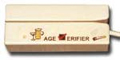 We have developed custom programs for our 3-track Model 2000M3/I Magnetic Stripe Reader and PCs operating in a Windows® environment (Windows® 98 and later versions.) to allow the user to read driver's licenses and State ID cards to calculate the cardholder's age, and whether the card has expired. We have developed custom programs for our 3-track Model 2000M3/I Magnetic Stripe Reader and PCs operating in a Windows® environment (Windows® 98 and later versions.) to allow the user to read driver's licenses and State ID cards to calculate the cardholder's age, and whether the card has expired.
The PC based 3-track magstripe reader is required to capture the complete mailing addresses for your database file for those states where the complete mailing address is encoded on the driver's license. The standard age validation routine is still performed. The new custom programs described below are IN ADDITION TO the 2000M3/I features such as reading credit cards and configuration options, as described in the Model 2000M manual. Once installed, the Age Verifier Resident Program is loaded into the PC at power on. It stays resident in memory in a "sleep mode" until data is received through the Serial or USB Port. When a Driver's License or an I.D. card that is encoded using the official driver's license or State ID Card format is swiped through the magnetic stripe reader the following actions occur:
- The Age Verifier Program is activated when it detects the transmitted data. It performs an age calculation by comparing the Date of Birth encoded on the card to the Current Date set in the PC.
- It compares the Expiration Date encoded on the card to the current date to determine if the license has expired. Note: An expired license is NOT legally a VALID license!
- After performing the age calculation and checking the expiration date, the required information is displayed on the PC monitor in the following manner:
- The cardholder Age and Date of Birth.
- If the age is under 18, the displayed data is on a Red background.
- If the age is 18, 19, or 20, the displayed data is on a Yellow background.
- If the age is 21 or older the displayed data is on a Green background.
- Regardless of the age, if the license has expired, the words "LICENSE EXPIRED" will be displayed.
- Should the word "ERROR" appear, it may have been caused by a scratched or damaged card, or it was not swiped in a steady smooth motion. We recommend you retry a maximum of three swipes. The data will be displayed for approximately 3 seconds and then return the PC to the application that was running before it was interrupted by the Age Verification Program.
Configuration Options:
- Age Threshold (Legal Min/Max Age), Display Size, Display Viewing Time of 1, 2, 3, 4 or 5 seconds.)
NOTES
- The user should always compare the Date of Birth and the photograph on the license to the cardholder.
- If the license has expired you must follow the law, or company policy, to determine if you can sell alcoholic beverages or other age-restricted products or services to the cardholder.
- Specifications for the 2000M3/I, other than cabling and interface capabilities are the same as our Model 2000M.
(SEE WEBSITE)
The 2000M3/I System Consists of 2 Main Elements
- A resident PC program that accepts data contained on driver's licenses and ID cards that follow AAMVA published Standards and many other state's driver's licenses that do not follow the Standards. This data is then processed to perform a number of actions discussed in detail in the User's Guide.
- The second element consists of the 2000M-T Magnetic Stripe Card Reader. It captures and transmits the encoded data on all Magnetic Stripe Cards such as State Driver's Licenses/IDs, VIP and Credit Cards.
PC Program Function
The program is automatically loaded when the PC is powered ON. It remains resident and is activated when it receives and detects a driver's license has been read and transmitted to either the PCs serial port, or, in other cases, to a USB port.
- It reads the Birth Date and Expiration Date encoded on a driver's license and compares the data to the PC clock settings.
- It controls the display to indicate the Age and License validity.
- It stores the records representing cards read for the creation of a Database.txt file to be used to record all drivers' licenses and/or ID cards read. Three other files can be generated. One would create an edited record file. The second captures a complete record of all cards read, including duplicate records. The third is a CSV File that can be used for multiple purposes. This is covered in complete detail in the User's Guide.
CONFIGURATION OPTIONS FOR CREDIT CARDS & OTHER TYPES OF CARDS THAT ARE NOT DRIVER'S LICENSES
- Enable Tracks
- Specify Required Tracks
- Data or Field Output Mode
- Expiration Date Format
- Select Start/Ending Sentinel Character to send.
- Select Field Separator Character to send
- Send or suppress LRC.
- Send or suppress Hardware Control Character
- Define a No-Read Output Message
EDITING/ DATA MANIPULATION OPTIONS:
- Define the number of leading and trailing characters by fields.
- Parsing by field.
- Define Preambles (Prefixes) by Fields or Tracks.
- Define Postambles (Suffixes) by Fields.
- Define a string to transmit at the End of Read - Normally an ENTER command.
BUZZER/LED OPTIONS:
- Good Read Beep, Beep Tone, Beep Duration.
- Read/No-Read LED Display.
- Should you wish to locate the magnetic stripe reader a large distance (up to 150 feet) from the PC, the 2000M3-I LED color can be programmed to illuminate Red, Yellow, or Green to indicate the cardholder's Age. In addition, the BUZZER can be programmed to 'warble' to indicate the cardholder is under 21, and/or the license has expired.
Selecting an Age Verifier
| MODEL 2000M3/I AGE VERIFIER
| $294 |
|
Other Age Verifier Models - ID Checkers
 or call (541) 601-8282 for more information on the 2000M3/I Age Verifier or call (541) 601-8282 for more information on the 2000M3/I Age Verifier
|